From your Excel to a flawless proforma. In minutes.
Upload any Excel or PDF with product rows: a price list, a catalogue, or a quotation you drafted yourself. FormaSheet turns it into photo-rich quotations, proforma invoices and packing lists in your brand, then emails them to your buyer.




From Excel to document, on one screen
Drop the file; rows settle into columns, gaps show up, the document goes to the buyer. The screen below is the product itself.

From a messy list to a document your buyer can sign
Preparing documents isn't selling, yet it eats your hours. FormaSheet reads the list once and produces every document from it.
- A different column layout from every supplier, merged headers, subtotals
- Photos embedded in cells; carried into the quotation by hand
- The same rows retyped for every quotation, totals checked by hand
- Rows, photos and header details come out on their own
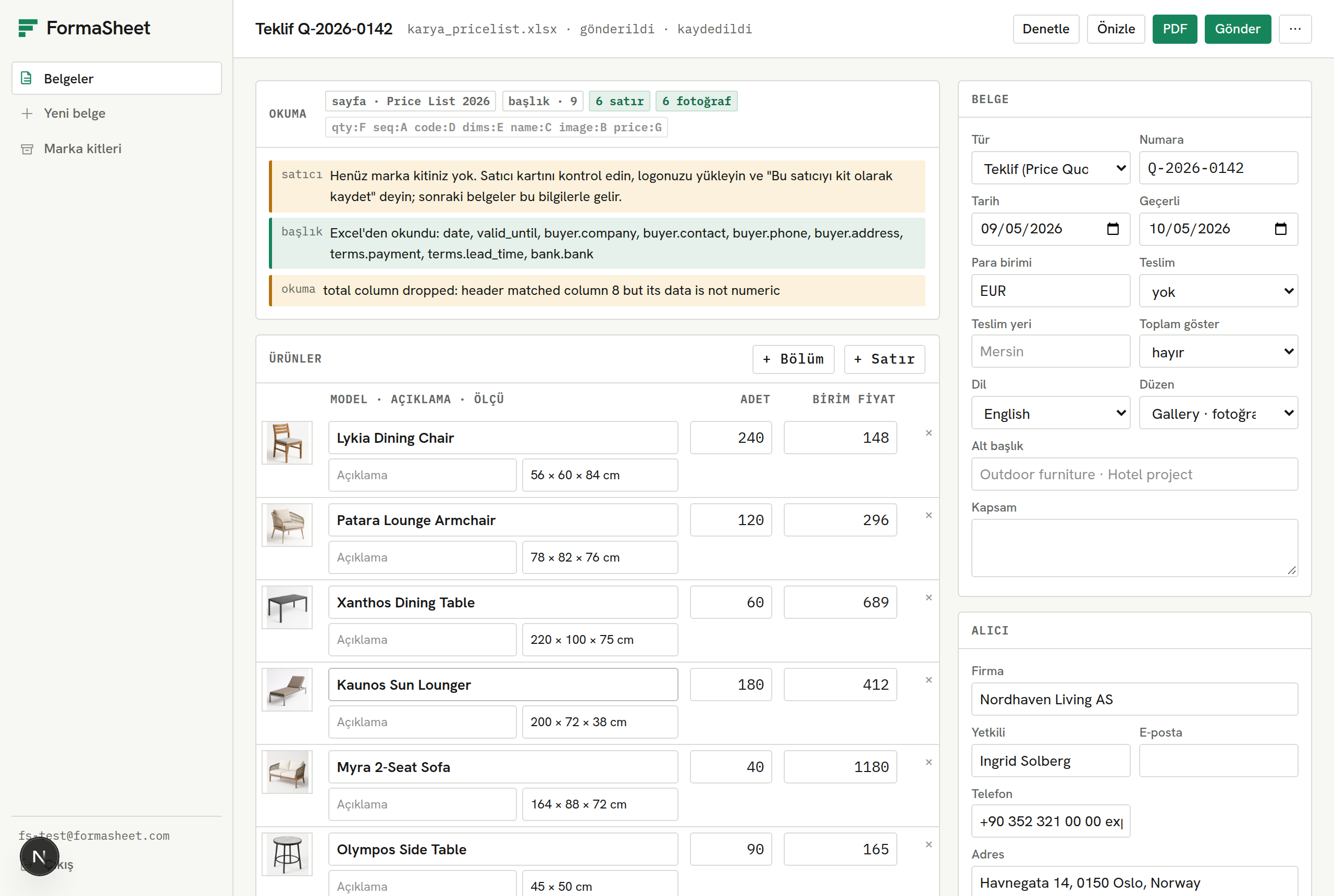
- Gaps show in red and are fixed in the table
- A branded PDF is generated, sent, and tracked to acceptance
Everything from Excel to your buyer
No column-mapping screen, no templates to fill. A file goes in, a document comes out.
Smart reading
Finds the header row and the quantity, price and total columns on its own. Understands two-line headers, products sold as sets and non-Latin characters.
No column mapping.
Photos in place
Matches product photos embedded in Excel to their rows and places them next to the product in the PDF. Recognises the logo at the top of the sheet, too.
Your buyer sees what they're getting.
Four documents, one source
Quotation, proforma invoice, price list and packing list all derive from the same rows. When the order changes, a new version is one click away.
Read once, produce all.
Brand kit
Logo, colours, bank details and commercial terms are saved once and appear on every document automatically.
Every document looks corporate.
Built around how export work actually flows
From a one-person export desk to a manufacturer's sales team, FormaSheet fits the daily routine.
Exporting SMEs
When a buyer asks for your price list, reply the same day with a photo-rich, branded proforma.
Trade professionals
Bring dozens of suppliers' different Excel files into one layout. When an order changes, produce the new version in one click; the old one stays archived.
Manufacturer sales teams
After a trade fair, pick quotations from the catalogue and send them within minutes. See who viewed and who accepted in a single list.
Three steps from Excel to your buyer's inbox
No templates to fill, no columns to map. Drop the file; FormaSheet does the rest.
- 1Step 1 / 3
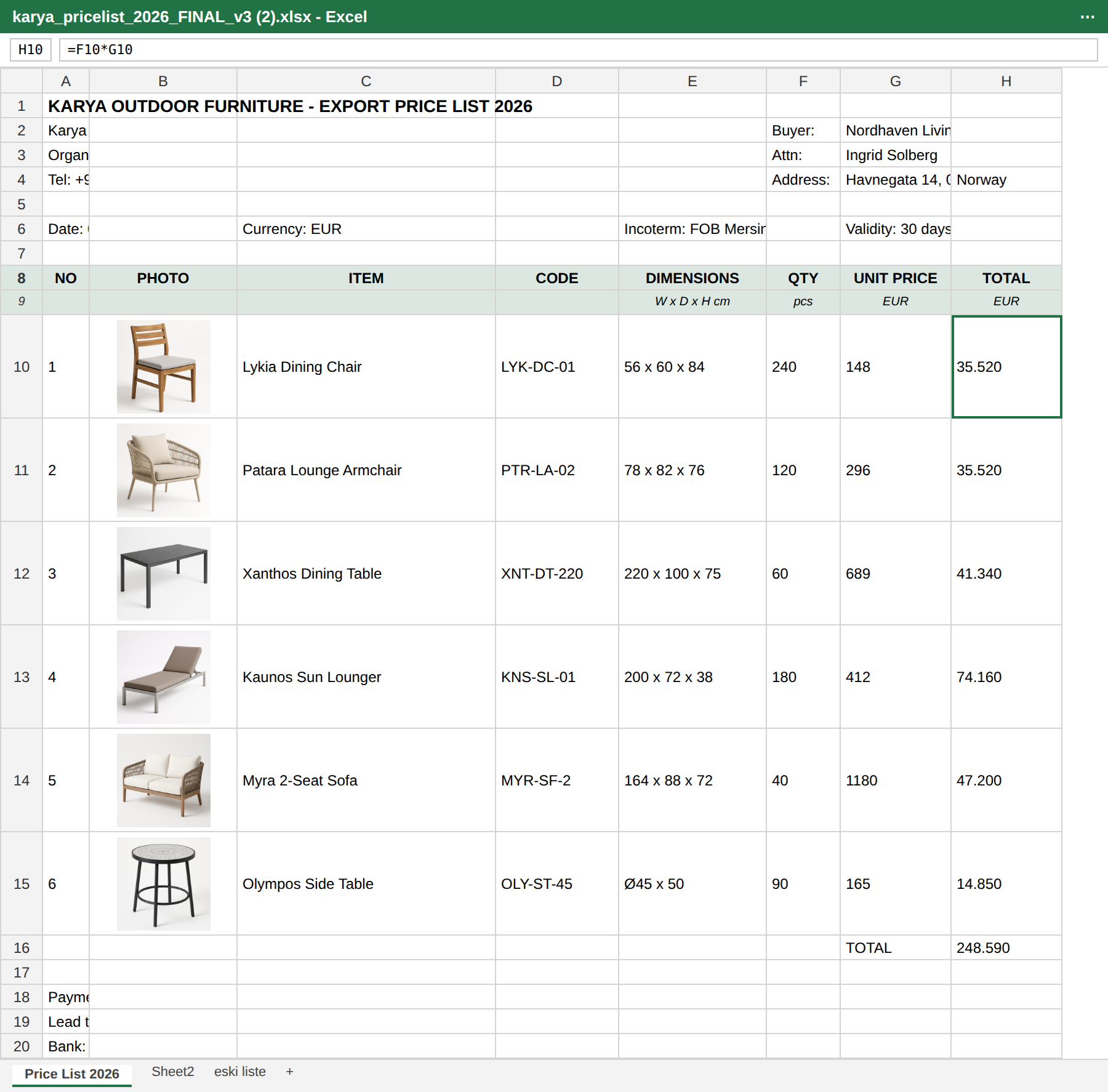
Upload
Drag in your Excel or PDF price list or catalogue. In a multi-sheet file it picks the right sheet on its own; scanned PDFs are read with OCR.
- 2Step 2 / 3
Review
Rows, photos, buyer and seller details arrive already extracted. Gaps are marked in red and you fix them in the table.
- 3Step 3 / 3
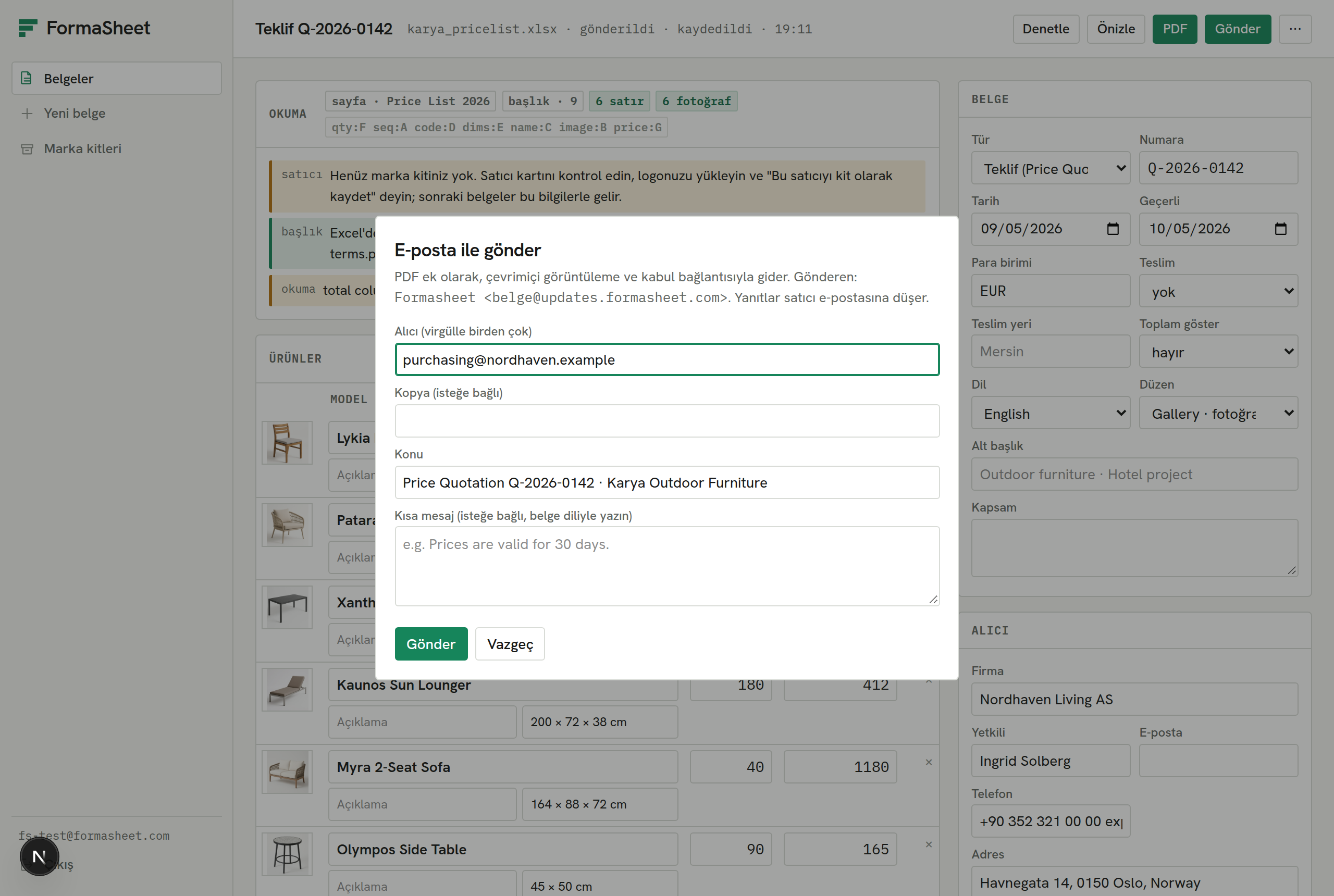
Send
Generate the branded PDF and send it by email. The buyer views it from the link and accepts in one click.
Four documents from the same Excel
All in your brand, with photos and consistent totals. Whichever one the buyer asks for is the one that goes.
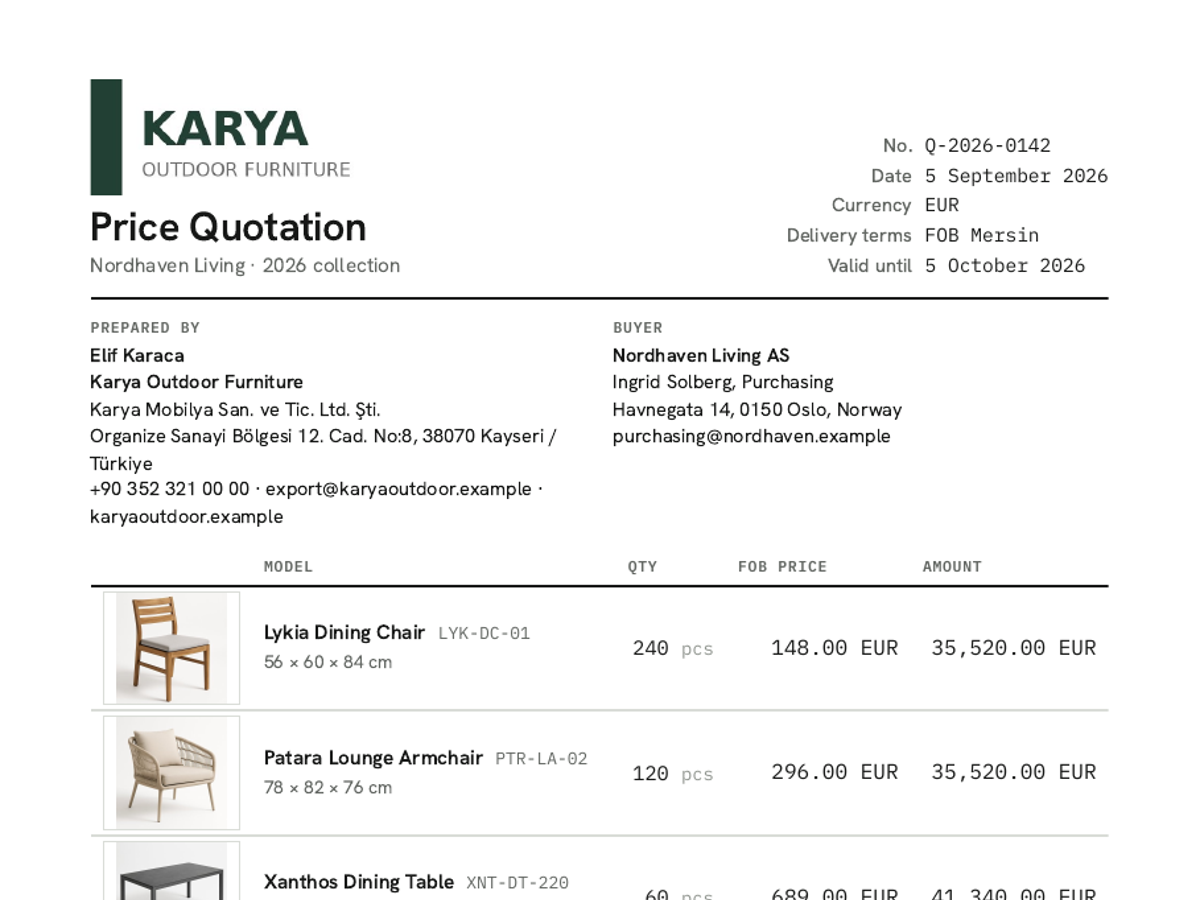
Quotation
Your first reply to the buyer. Photo rows, validity date, delivery terms and payment terms on a single page.
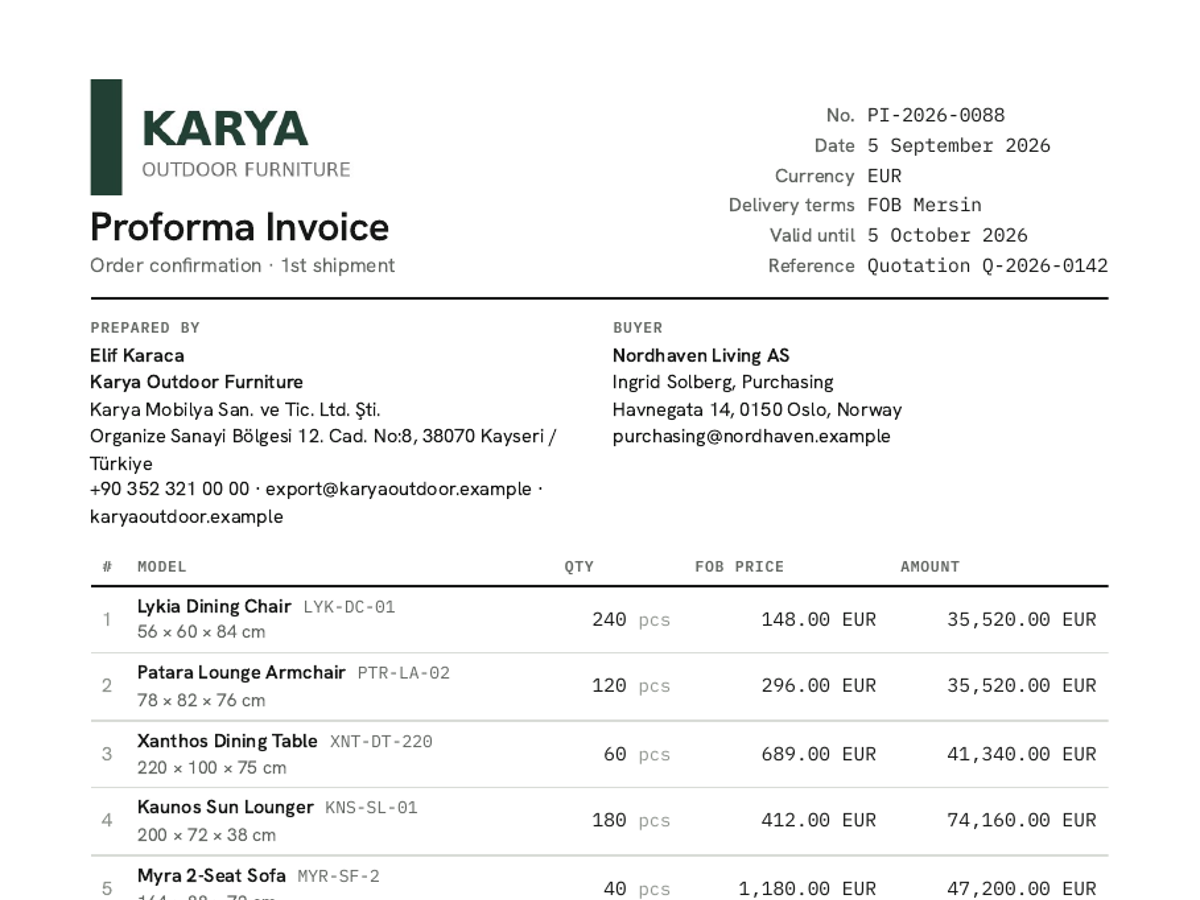
Proforma invoice
For order confirmation and payment. Bank details, Incoterm, tax number and buyer address come in automatically.
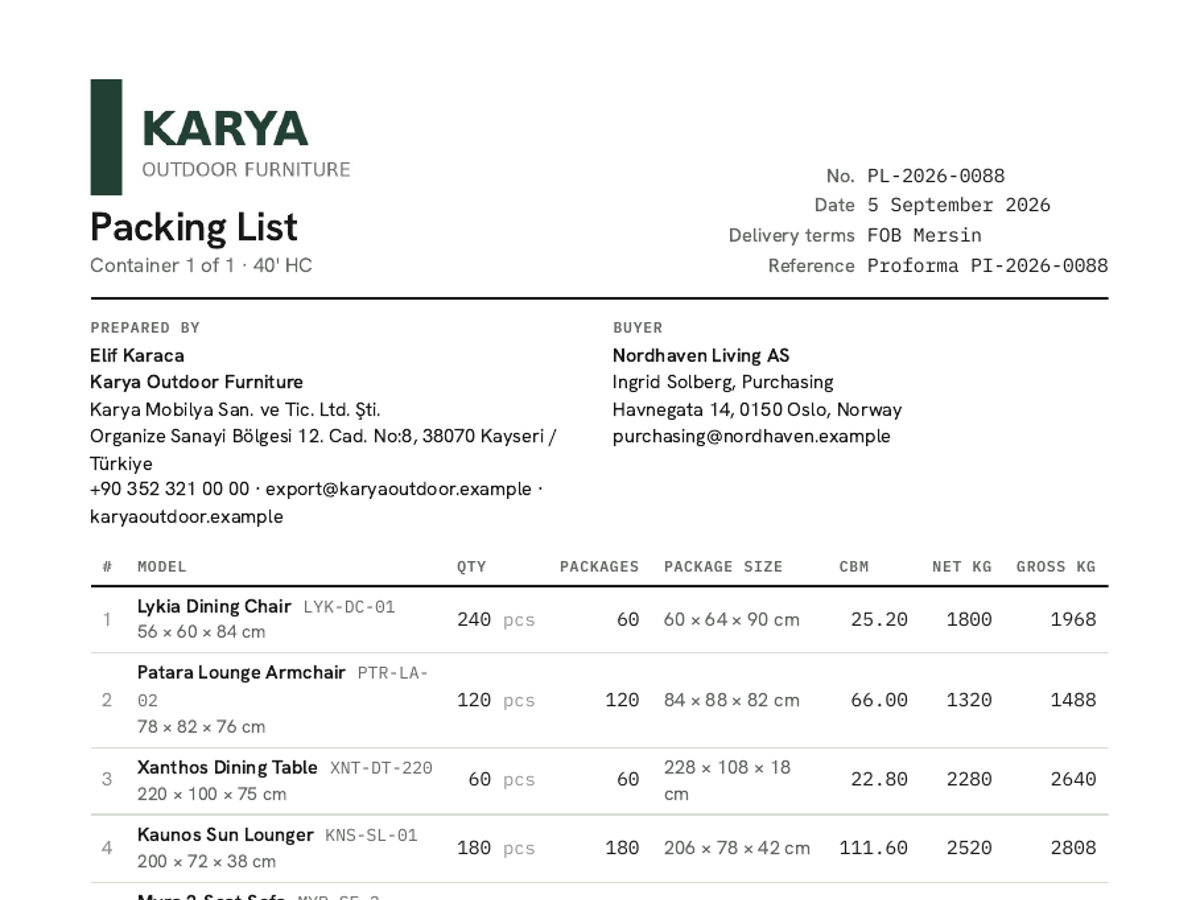
Packing list
Derived from the same rows: cartons, quantities, gross and net weight, CBM. No retyping the table on loading day.
Sample documents are for a fictional seller; this is not real customer data.
One plan for now: free
FormaSheet is in early access. Every feature is open; when paid plans arrive, existing users hear about it first.
- Unlimited documents and PDFs
- Four document types with photos
- Email sending and acceptance tracking
- Brand kit and version history
- A small FormaSheet note under the PDF
What you need to know
What is FormaSheet?+
A document tool for exporters. It reads your Excel price list; produces quotations, proforma invoices, price lists and packing lists as PDFs in your brand; sends them to the buyer and tracks acceptance.
Which files does it read?+
Excel (.xlsx and .xls) and PDF, including scanned PDFs (values read by OCR are marked for you to check). In multi-sheet files it picks the richest sheet; you can have it read another one if you like. Product photos embedded in cells are matched to their rows.
What if my Excel is messy?+
Most are. Two-line headers, merged cells, subtotal rows, products sold as sets and margin notes are all recognised. Anything it can't extract is shown in red and you fix it in the table.
What does the buyer see?+
A PDF attachment and a link. On the link they view the document in the browser, type their name and accept. The acceptance shows up in your document list instantly.
Is my data safe?+
Files and PDFs are visible only to your team. Share links are specific to one document and can be revoked. Your price lists are never given to third parties or used for model training.
How much does it cost?+
Free during early access. Free documents carry a small 'Prepared with FormaSheet' note. When paid plans arrive, existing users hear about it in advance.
Anything else on your mind? Write to us, we reply the same day: merhaba@formasheet.com
Order out of complexity.
Upload your price list and send a branded PDF to your buyer within minutes. Free during early access, no credit card required.